



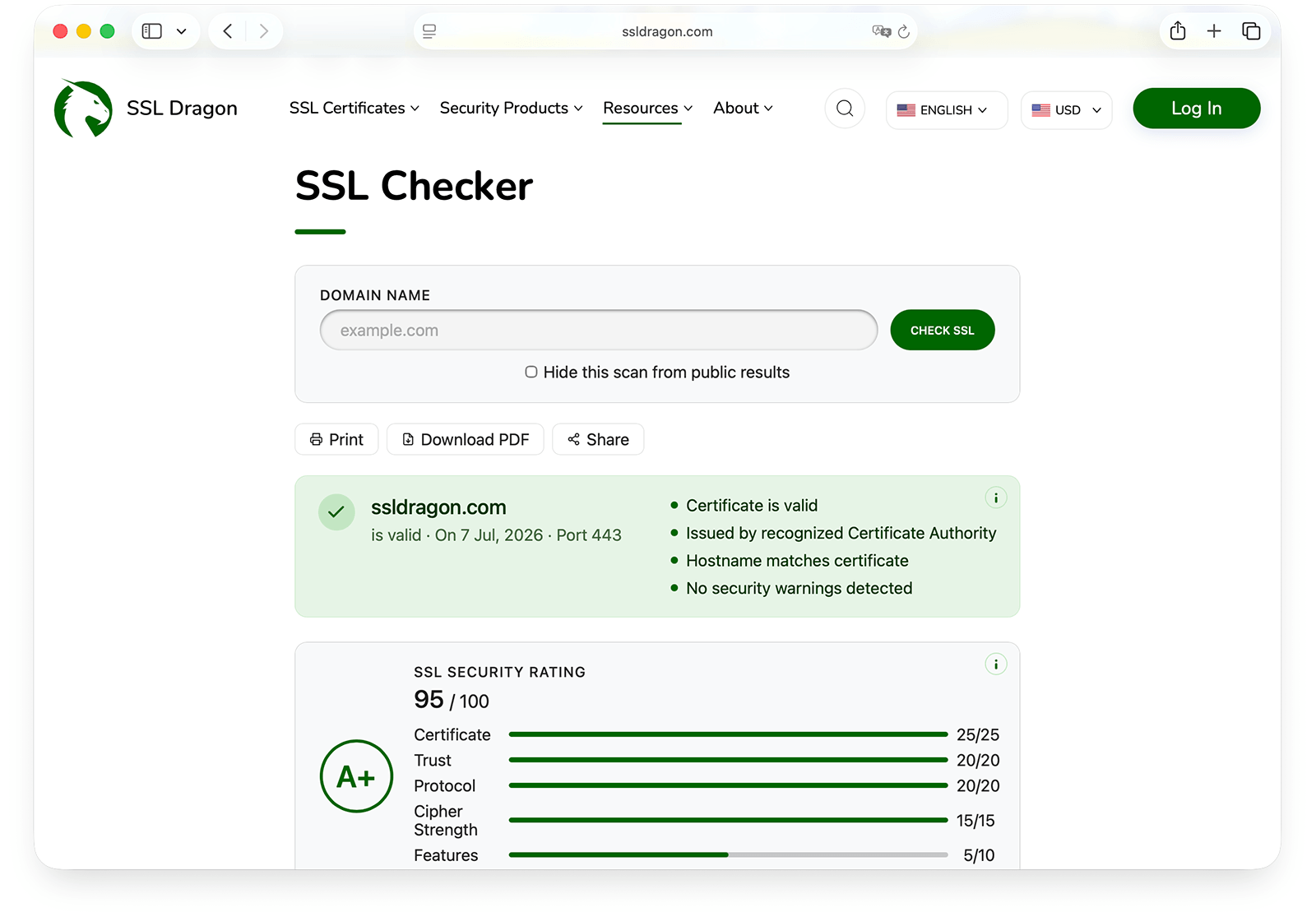
We’ve added a significant set of features to our SSL Checker. The tool still runs the same way, with no signup and no wait, but each scan now returns far more detail about your HTTPS setup.
Here’s what’s new.
Every Scan Now Returns a Security Grade
The biggest addition is the overall security rating. Run a check and you’ll get a score from A+ to F, along with a breakdown showing exactly which factors helped or hurt your grade.
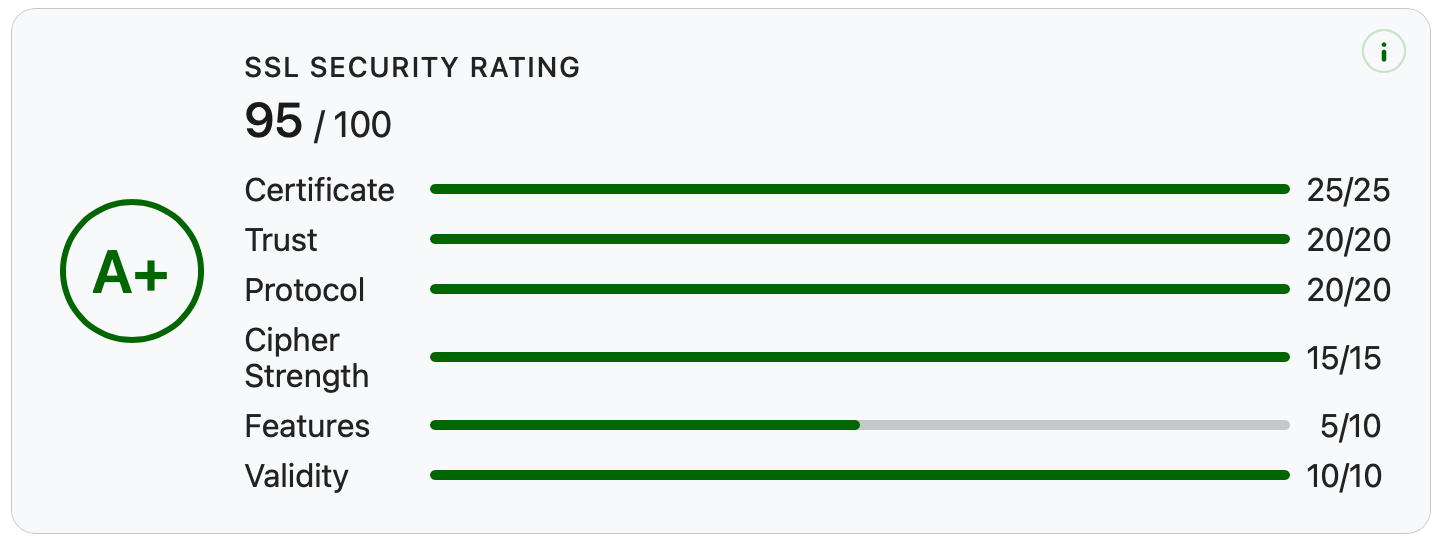
The score weighs several things:
- Certificate validity and trust chain
- Protocol support (which TLS versions your server accepts)
- Cipher strength
- Known vulnerabilities
- Configuration best practices
You’ll know where you stand in about 30 seconds. No need to interpret raw output or cross-reference five different tools.
Why grades matter: A certificate can be valid and still leave your server open to attacks. The grade tells you the difference between “it works” and “it’s actually secure.”
New Security Analysis Features
Vulnerability Scanning
The checker now tests your server for the TLS attacks that have caused real damage over the years: Heartbleed, BEAST, POODLE, ROBOT, and Ticketbleed. These are flaws in how older TLS implementations handle certain requests, and a valid certificate won’t protect you from any of them.
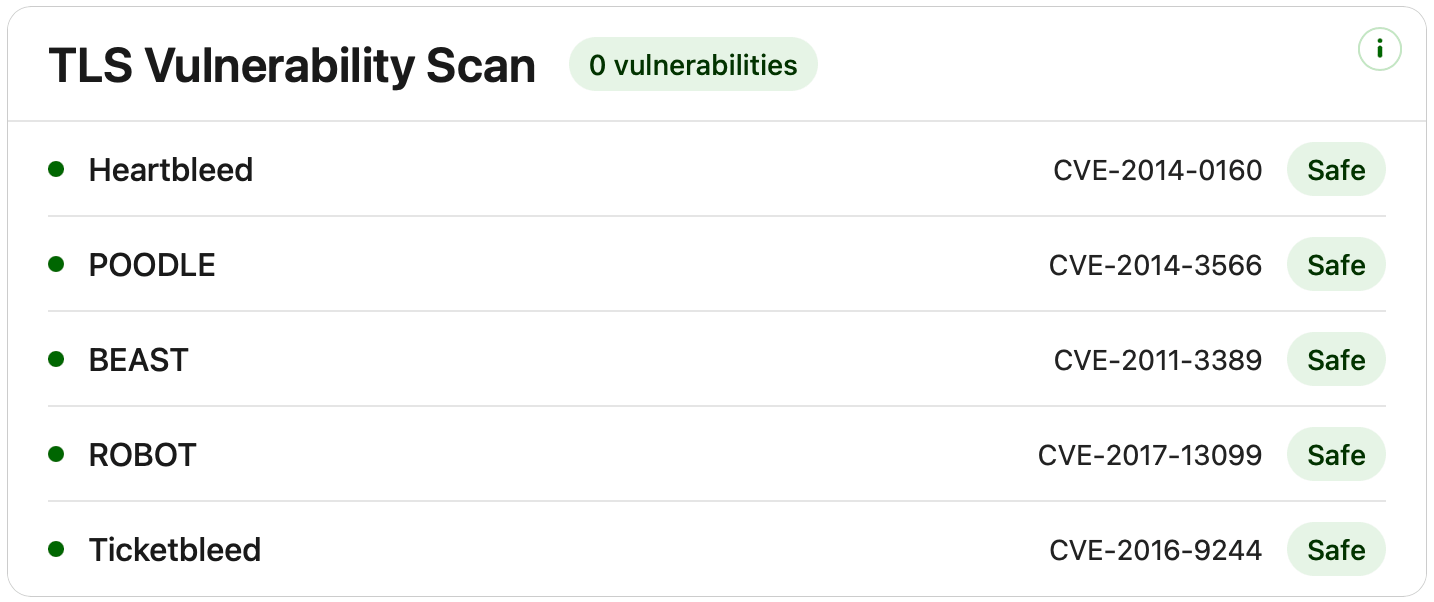
If your server is exposed to any of these, the report flags it clearly and tells you why it matters.
Cipher Suite and Protocol Analysis
You’ll now see exactly which cipher suites your server supports and which TLS versions it accepts. This is useful when you need to confirm you’ve actually disabled TLS 1.0 and 1.1, or when a compliance auditor asks for proof of your cipher configuration.
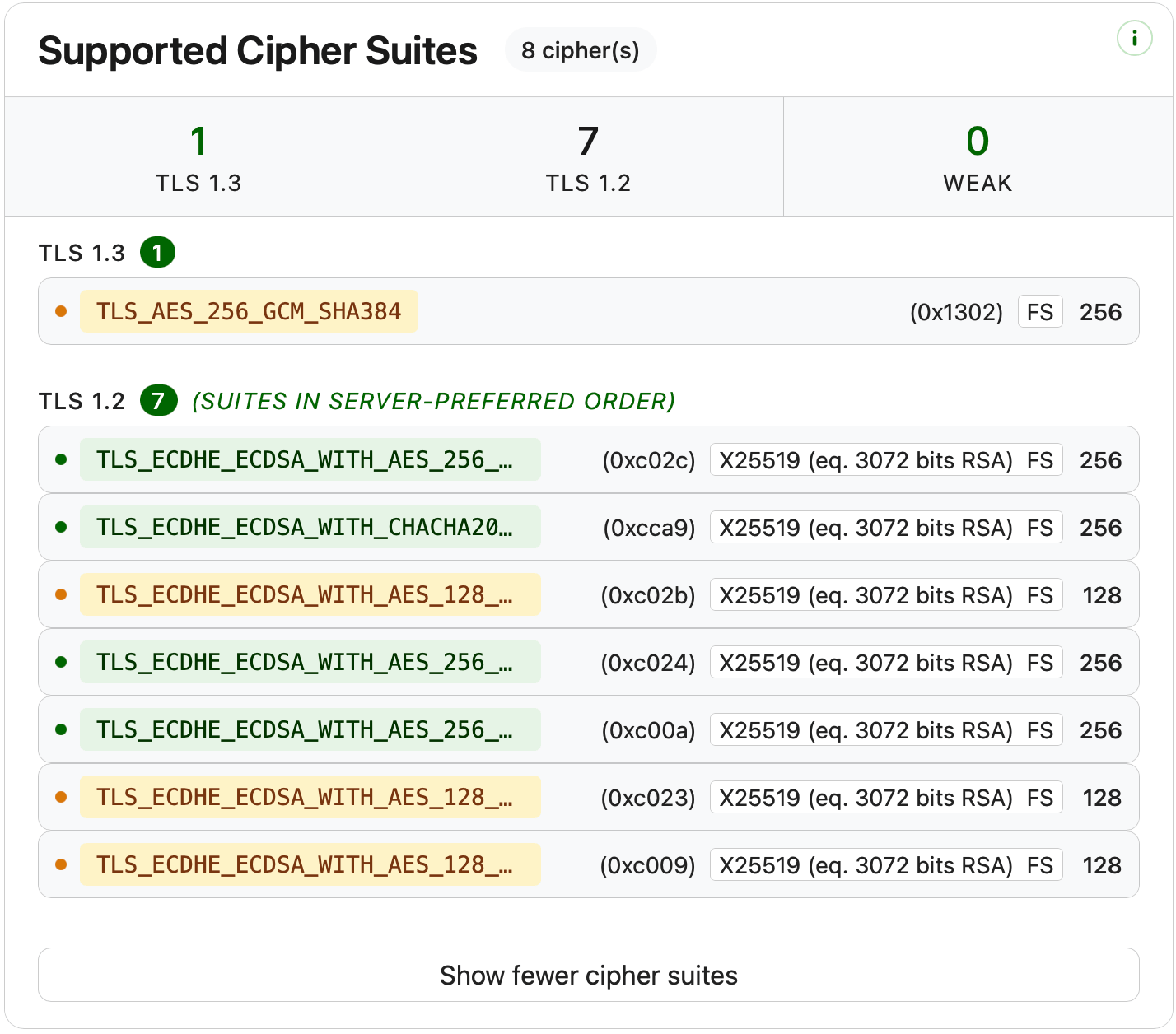
No more guessing whether your changes took effect.
Diagnostics and Troubleshooting
Multi-Server and Multi-IP Scanning
If your site sits behind a CDN or load balancer, you might have multiple edge servers serving traffic from the same domain. The new checker tests each one individually.
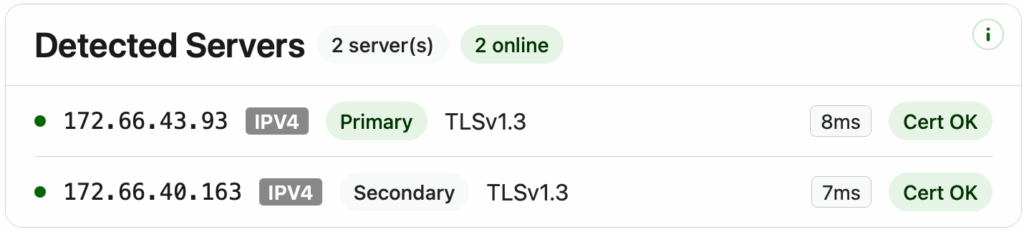
This solves a frustrating problem: a misconfigured node that only fails for some users. Now you can see whether all your servers are running the same config, or whether one is drifting.
Browser Compatibility Results
The report shows whether your certificate works across Chrome, Firefox, Safari, Android, and older browsers and operating systems. This is the feature that solves “it works on my machine” support tickets.
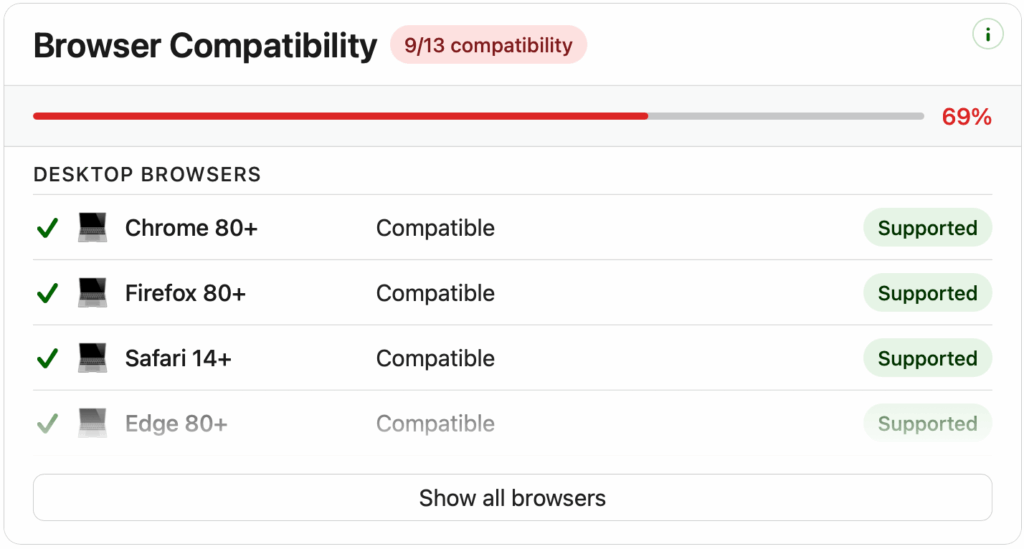
When a customer reports a connection error you can’t reproduce, the compatibility section usually tells you why.
OCSP, CRL, and Revocation Checks
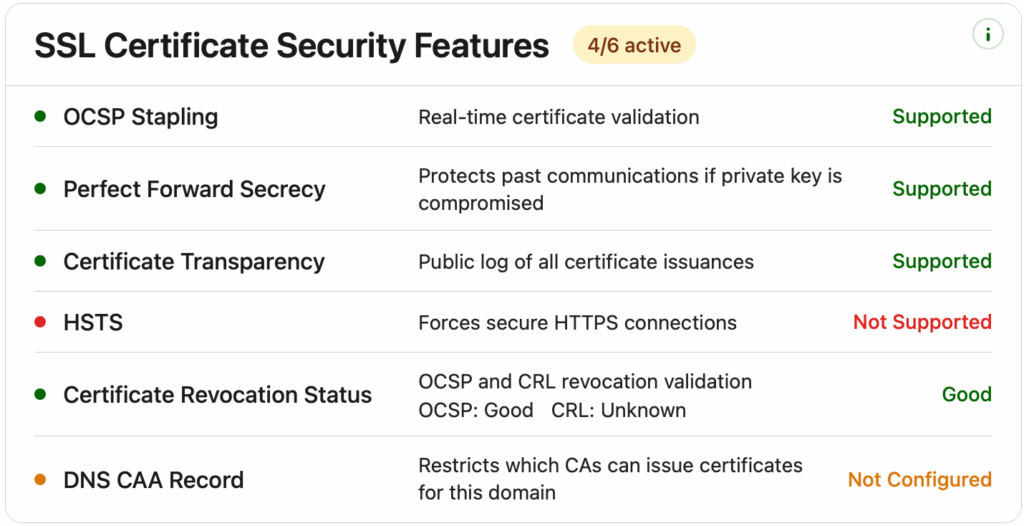
The checker confirms your certificate hasn’t been revoked and verifies that revocation services are actually responding. Broken OCSP responders are surprisingly common and can cause certificate validation failures even when the cert itself is fine.
DNS CAA Record Detection
CAA records let you control which Certificate Authorities are allowed to issue certificates for your domain. The new checker detects whether you’ve set them up and shows what they specify.
CAA records are increasingly expected in security audits, and they’re a simple way to prevent unauthorized certificate issuance.
Developer and Admin Tools
We also added a few features specifically for people who work with certificates regularly.
- Raw certificate and PEM viewer. Inspect the full certificate details and copy the PEM data directly from your browser. No more dropping into OpenSSL just to read what’s in a cert.
- Certificate download. Grab the server, intermediate, or root certificate with one click. Helpful when you’re debugging a chain issue and need the exact files the server is sending.
- Expiration reminders. Set up a notification so an expired certificate isn’t the first thing your customers tell you about.
How to Use the New SSL Checker
The workflow is the same as before:
- Enter your domain name
- Click Check SSL
- Review your full security report
No signup, no credit card, no installation. Just open the tool and run a scan.
Try It Out
If you haven’t run a check on your domain in a while, this is a good time. You might find a vulnerability you didn’t know about, a TLS version you thought was disabled, or a revocation service that’s been failing quietly.
Check your SSL certificate now →
We’d love to hear what you think and what should come next. The tool is built around what admins and developers actually need, so feedback shapes what we work on.
Know someone dealing with SSL issues? Pass this along.
Hemat 10% untuk Sertifikat SSL saat memesan hari ini!
Penerbitan cepat, enkripsi kuat, kepercayaan peramban 99,99%, dukungan khusus, dan jaminan uang kembali 25 hari. Kode kupon: SAVE10
