AutoInstall SSL™ Is Now Available at SSL Dragon
We’re now offering AutoInstall SSL™, a server agent that installs and renews SSL certificates without you touching them.

We’re now offering AutoInstall SSL™, a server agent that installs and renews SSL certificates without you touching them.
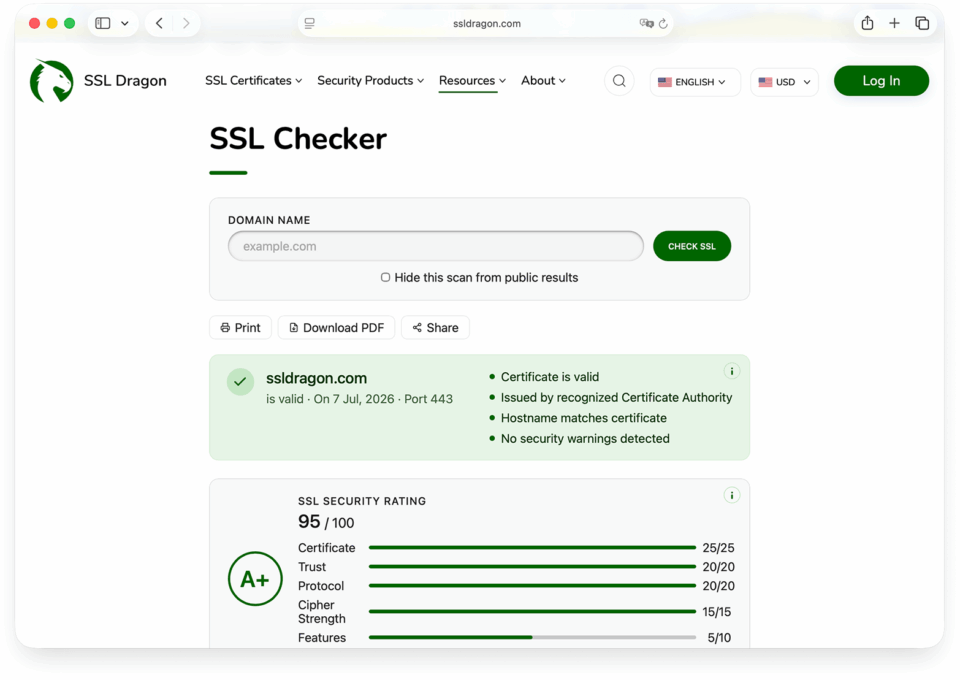
We’ve added a significant set of features to our SSL Checker. The tool still runs the same way, with no signup and no wait, but each scan now returns far more detail about your HTTPS setup. Here’s what’s new.
If you’ve ever generated a CSR, you’ve likely picked “RSA 2048” as the key type. Below is what that means: how the RSA algorithm works, a worked example you can check by hand, and which key size to choose. We also cover the September 2026 factoring records, which don’t threaten 2048-bit keys.
This guide compares PositiveSSL Wildcard vs EssentialSSL Wildcard and their single-domain versions, PositiveSSL vs EssentialSSL. All four are domain validation (DV) SSL/TLS certificates from Sectigo, formerly Comodo CA. That’s why some stores still list the wildcards as Comodo PositiveSSL Wildcard and Comodo EssentialSSL Wildcard. Others write Positive SSL and Essential SSL.
Sectigo and DigiCert are two of the largest commercial Certificate Authorities (CAs), and their prices are far apart. At SSL Dragon, a 1-year DigiCert OV certificate costs $230, while Sectigo OV SSL costs $110. Here’s what the extra money buys, and when it’s worth paying.
In this tutorial, you will learn how to install an SSL certificate on a Nutanix cluster through the Prism web interface, both Prism Element (a single cluster) and Prism Central (multi-cluster management).
In this tutorial, you will learn how to install an SSL certificate on Webmin. Webmin doesn’t serve websites by itself. It gives you a browser-based control panel for the Apache web server running on your machine, so this guide covers enabling SSL for an Apache virtual host through the Webmin interface.
This tutorial shows you how to install an SSL certificate on CWP (Control Web Panel), the hosting control panel formerly known as CentOS Web Panel. You can install a certificate two ways: paste a certificate you bought from a Certificate Authority into the Manual Install tab, or let CWP issue and auto-renew a free Let’s […]
In this step-by-step guide, you will learn how to install an SSL certificate on Oracle servers and applications. The instructions cover the three most common Oracle platforms, plus SSL buying recommendations at the end. Generate a CSR code on Oracle Servers Every SSL certificate starts with a CSR (Certificate Signing Request) and its matching private […]
In this tutorial, you will learn how to install an SSL certificate on Node.js using the built-in https module. Unlike a web server such as Apache or Nginx, Node.js loads your certificate, private key, and CA chain directly in JavaScript, so the “installation” happens inside your application code.
In this guide, you will learn how to install an SSL/TLS certificate on an SAP NetWeaver Application Server. On SAP, you do not edit a config file or point the server at certificate files on disk. Instead, you work inside Trust Manager (transaction STRUST): you import the CA’s certificate response into the SSL server PSE, […]
In this tutorial, you will learn how to install an SSL certificate on Linux running the Apache (httpd) web server. The examples use Red Hat Enterprise Linux (RHEL) and its close relatives (Rocky Linux, AlmaLinux, CentOS, Fedora), where Apache is the httpd package and configuration lives under /etc/httpd/. The final section includes SSL buying recommendations […]
This tutorial explains how to install an SSL certificate on Microsoft Azure for a web app (Azure App Service).
In this tutorial, you will learn how to install an SSL certificate on Ubuntu with Apache.
This step-by-step guide shows you how to install an SSL certificate on Remote Desktop Services (RDS) on Windows Server.